(Centrum voor Humane en Klinische Genetica)
During the course the participants will get the opportunity to establish a fully web-based LSDB (Locus Specific mutation DataBase), a gene-centered DNA sequence variant (mutation) database. The software that will be used is LOVD, the Leiden Open-source Variation Database package (freely available from the Leiden Muscular Dystrophy pages). When established, the database will run on the Leiden server. The disk space required is offered by the Leiden group, free of charge. When desired, users are free to move the database later to their private server.
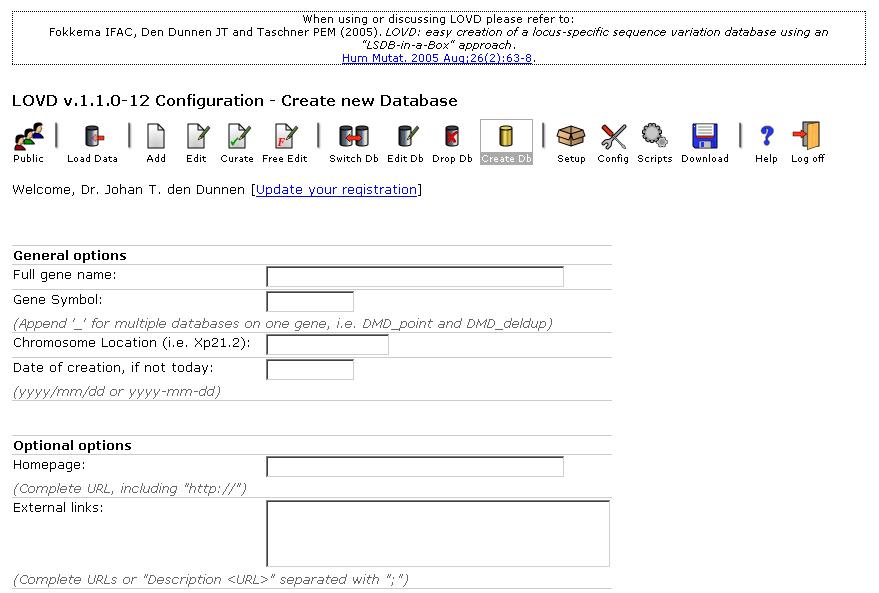
Initiation of an LSDB is rather straightforward by completing a "Database Creation" form, which should not take more then 5-10 minutes. Initial entry of an existing list of DNA variants is most simple through a bulk upload using a specifically formatted spreadsheet file, e.g. from MS-Excel. Of course, data entry can also be performed entry by entry after establishing the database.
During the course we promote that participants establish new LSDB's for genes that currently have no LSDB yet (see the HGVS site). The participant initiating the LSDB will be invited to act as a curator. To promote a smooth process we encourage participants to bring a spreadsheet file with known sequence variants for the gene of interest; an example file can be downloaded from the DMD website. Please note that the Leiden team has extensive experience with reformatting existing spreadsheets to the format required for an LOVD upload.
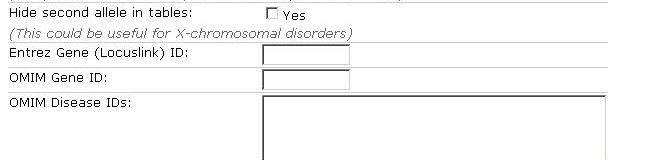
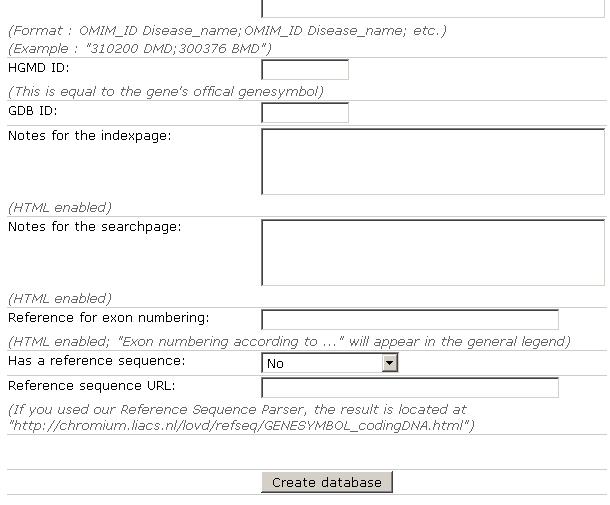
To start a new database, the information below is required - please search the internet for these data before starting the creation of the database. When you have collected the information required, you can ask the database manager (in this case Ivo Fokkema) to create the database. Once created, go to the curator entry page and login using the course login (NOTE: case sensitive !, login/password - hugo2006 / HUGO2oo6). You have now curator rights and can access, modify and extend the database. Just look how the database is structured, look what the options are and try out some features).
During the demo of David Atlan (PhenoSystems) the LDLR database was used. This database was just created, starting from an MS-Access file. It still contains a range of mistakes and entries to be curated (select the Curate icon). Please help us with this task and curate / correct some entries.
Johan den Dunnen / Ivo Fokkema